
Newsletter Glue 4.3: Magic Glue, newsletter options, custom fields and reliable scheduling

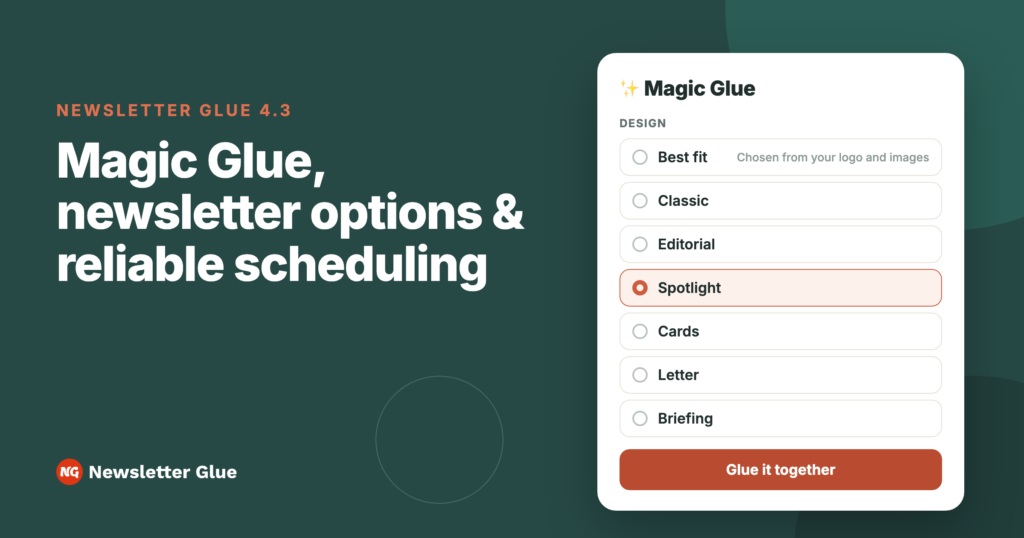
Newsletter Glue 4.3 is here. Magic Glue now comes with six styles. NG ESP lists can carry paid-only and optional newsletters, and sign-up forms and CSV imports can fill in custom fields. Evergreen automations can dig into your archive without repeating themselves. And scheduled newsletters are much harder to miss. Here’s what’s new, plus one licensing change to know before you update.
Magic Glue: your latest posts, glued into a newsletter
We introduced Magic Glue in October. In 4.3 it has six styles that match the builder on newsletterglue.com: Classic, Editorial, Spotlight, Cards, Letter and Briefing. Not sure which one suits you? Pick Best fit and Magic Glue chooses from your logo and images.
Click ✨ Magic Glue on your Campaigns screen, choose a design and how far back to look (7, 14 or 30 days), then click Glue it together. Magic Glue picks your stories, writes the subject line, preview text and intro, and saves everything as a draft campaign. Every block stays editable, and nothing goes out until you send it.
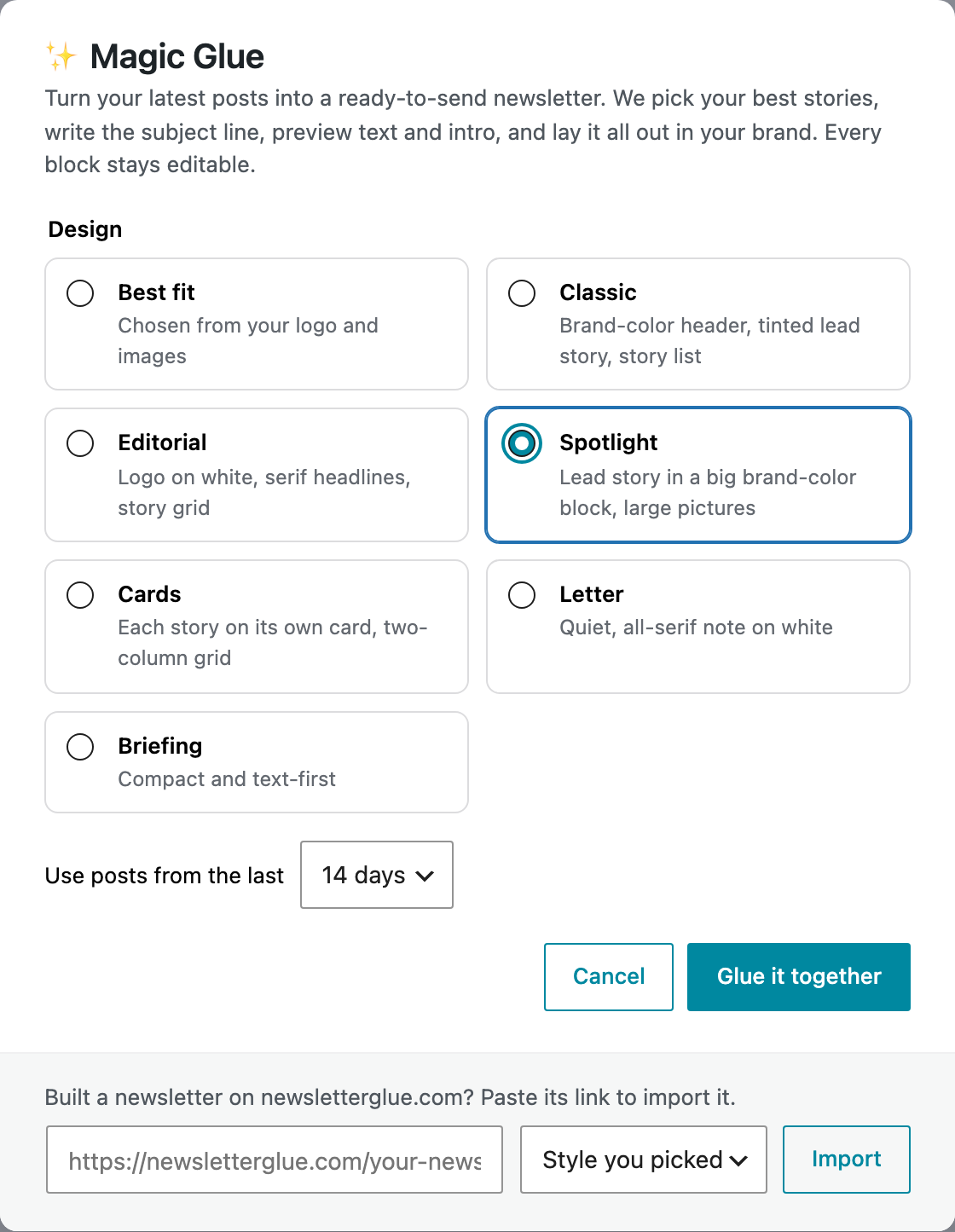
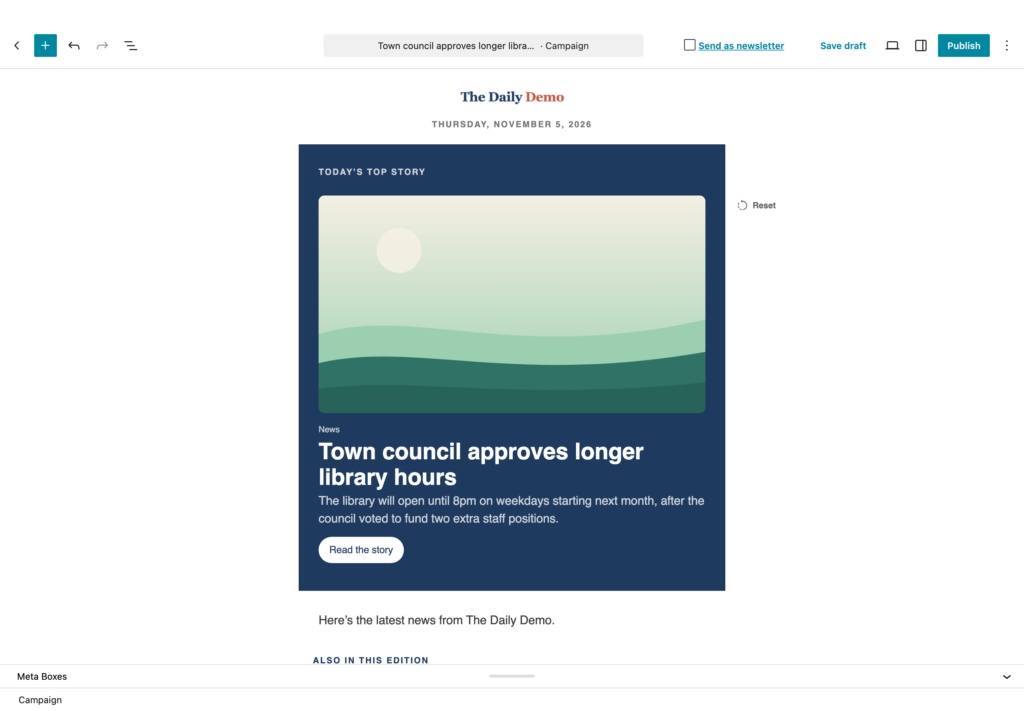
Built a newsletter on newsletterglue.com before you signed up? You can bring it with you. Paste its link into the Magic Glue window, or click Import newsletter when it appears on your Campaigns screen. It’s rebuilt from your own posts as a draft, in the style you pick.
Paid-only and optional newsletters, on one list
Plenty of publishers send more than one newsletter: a free daily, a weekly for paying members, a sports roundup only some readers want. If you send with NG ESP, you can now run all of them from a single list, without juggling extra lists.
Open a list in Lists & Subscribers and go to the new Newsletter options tab. A four-step guide walks you through it:
- Do you have paid subscribers? Tell Newsletter Glue which field marks a subscriber as paid. Your payment system sets it, for example Stripe through Zapier or Pabbly.
- Add your newsletters. Give each one a name and choose who gets it: everyone on the list, or paid subscribers only.
- Check what subscribers see. Preview the Manage Subscription page as a free or a paid subscriber.
- Put it to work. Send each campaign to the newsletter’s segment, and let readers pick newsletters on your sign-up form.
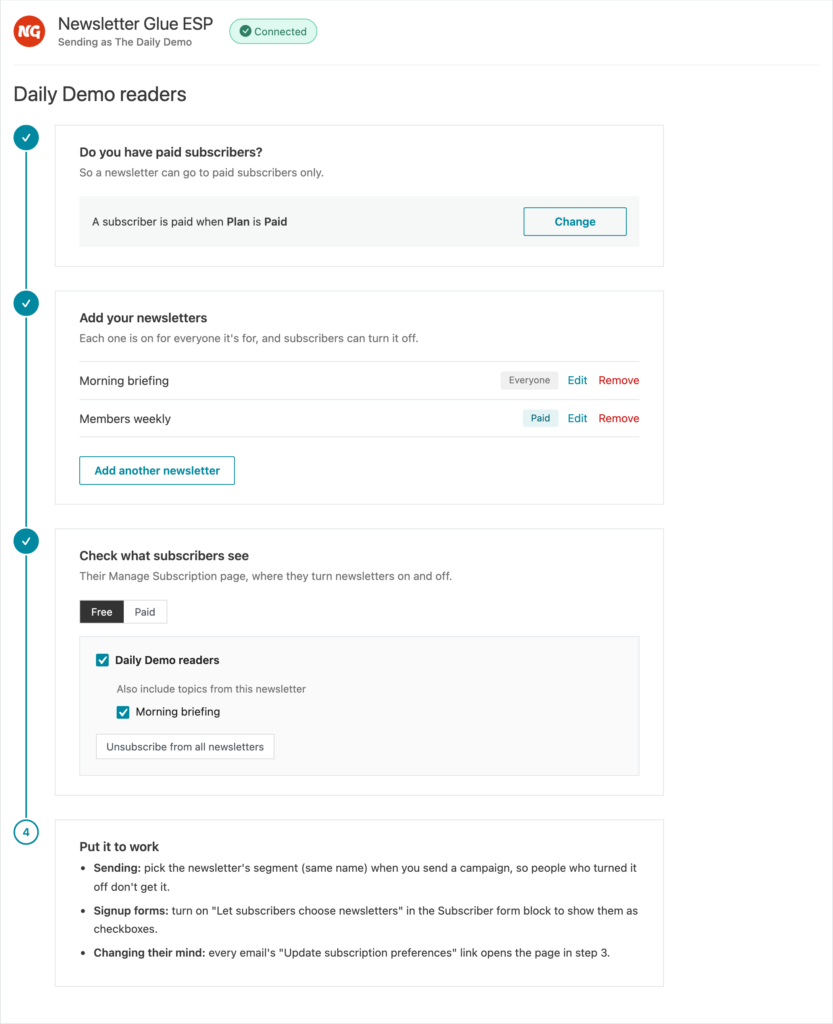
Each newsletter starts switched on for everyone it’s meant for. Subscribers can turn it off on your sign-up form or their Manage Subscription page, and they only ever see the newsletters they’re eligible for.
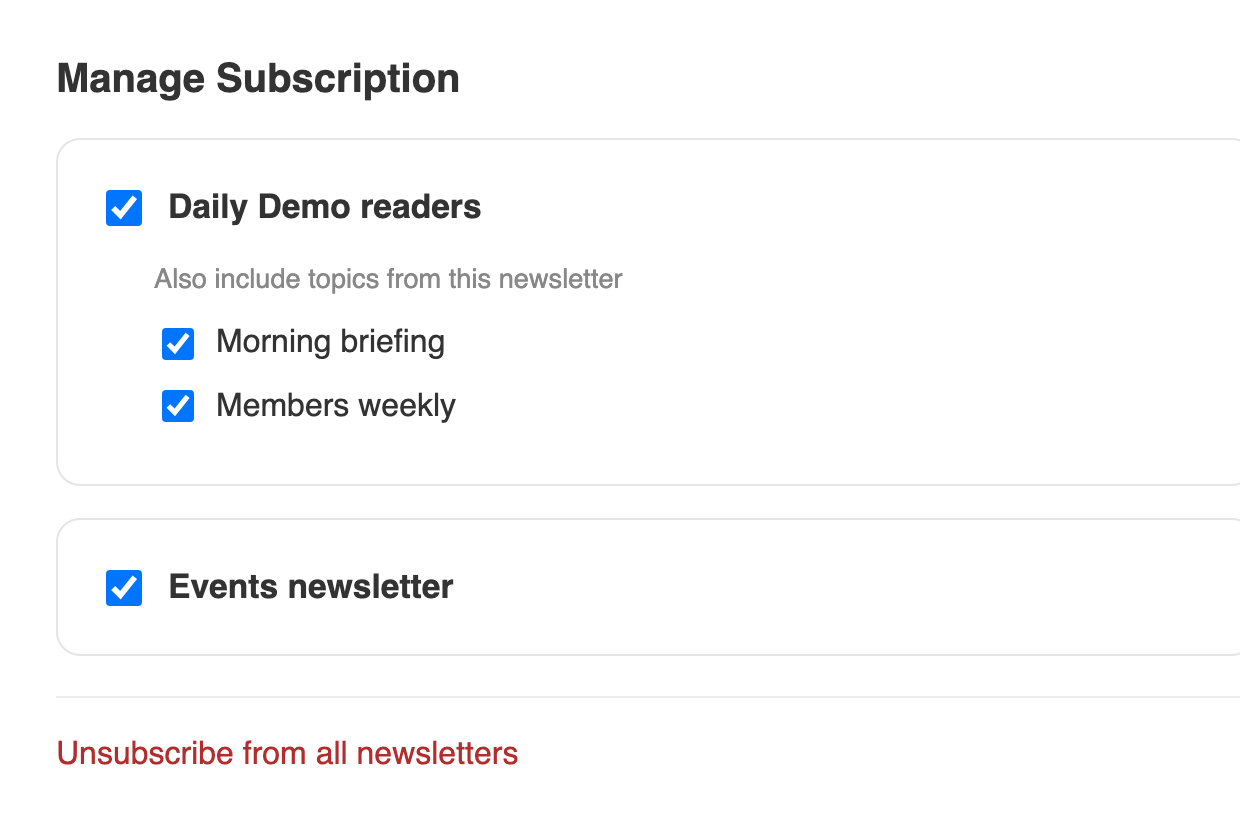
Set up paid-only and optional newsletters
Custom fields on sign-up forms and CSV imports
The more you know about your subscribers, the better you can segment them. 4.3 gives NG ESP customers two new ways to fill in custom fields.
- Sign-up forms. In the Subscriber form block, open Ask for more details to add your list’s custom fields to the form. Show them as text fields, such as company or city. Or fill them in quietly to tag where people signed up, for example Source = Homepage. Turn on Let subscribers choose newsletters to show your newsletters as checkboxes.
- CSV import. Map extra columns in your file to custom fields, or create new fields as you import. A list can hold up to 30 custom fields. Newsletter Glue also joins separate first-name and last-name columns, and recognises newsletter columns (Yes/No, 1/0 or true/false) and your paid-status column. A progress bar shows how far the import has got, and segments update when it finishes.
- The {{ first_name }} merge tag. Greet subscribers by name in your subject line and newsletter, with a fallback such as “friend” for anyone whose first name you don’t have.
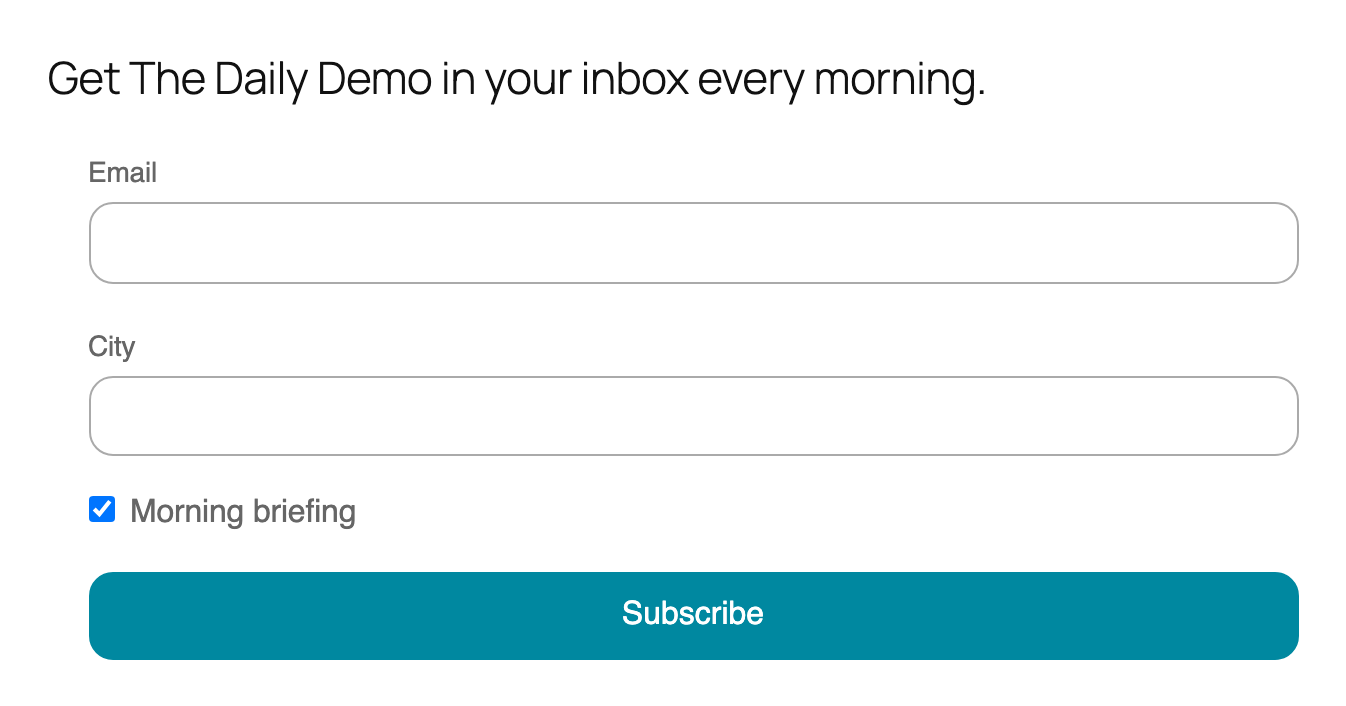
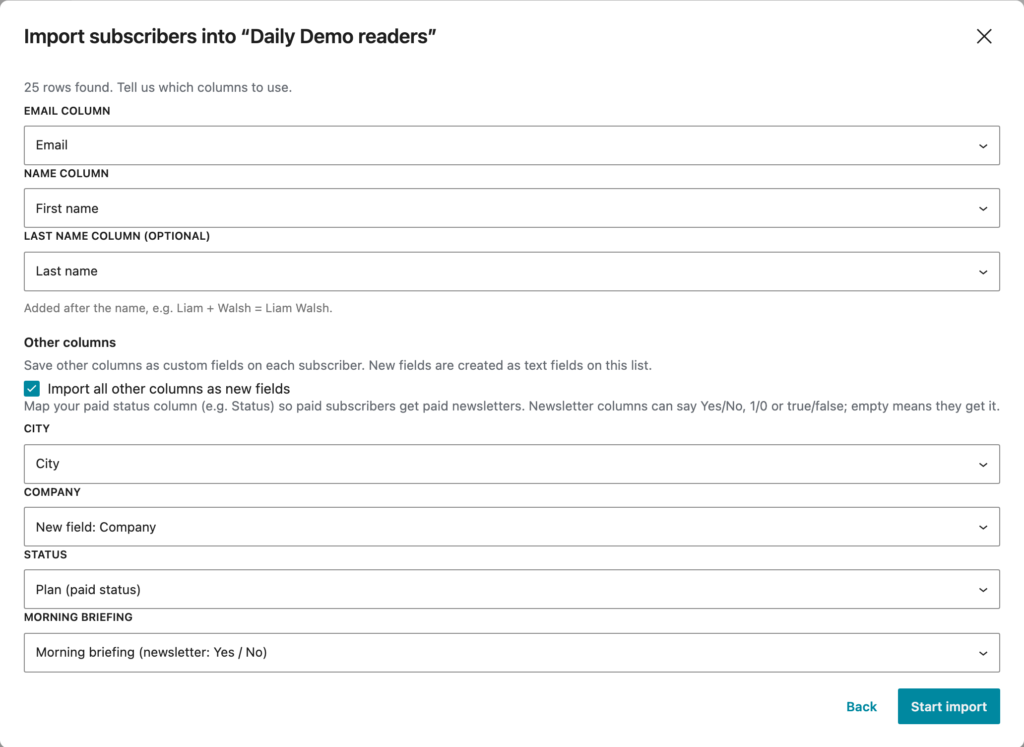
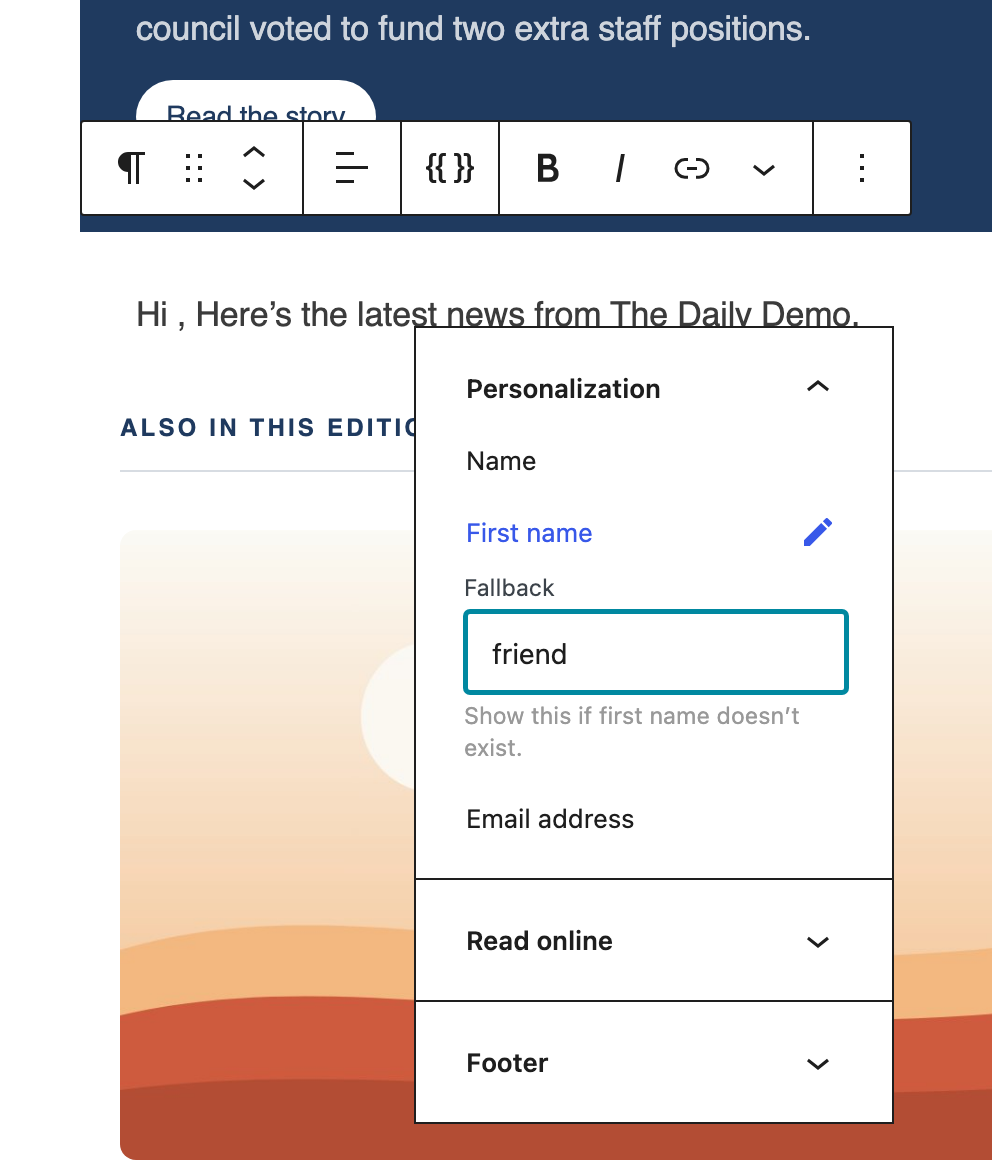
Read more: Subscriber form block, Import subscribers from a CSV file and Mergetags.
Evergreen newsletters that don’t repeat themselves
Got a deep archive of recipes, guides or “from the vault” stories? Put it to work. In the Latest Posts block, set Sort by to Random, then turn on Don’t repeat posts already sent.
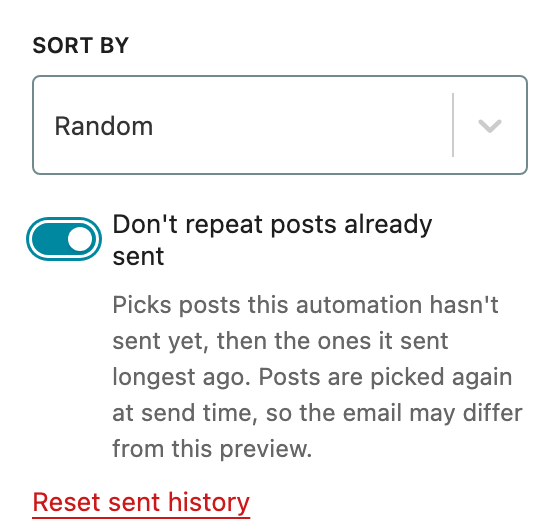
Each automation now keeps its own history. It picks posts it hasn’t sent yet first, and only then goes back to the ones it sent longest ago, so it never runs dry. Want to start over? Click Reset sent history.
Scheduling you can rely on
A scheduled newsletter should go out once, on time. 4.3 fixes the cases where it didn’t:
- No more double sends. Scheduled campaigns no longer send twice on sites with more than one cron trigger.
- No more newsletters stuck in “Scheduled”. Sites with a persistent object cache, such as Redis or LiteSpeed, could leave a newsletter waiting forever. A one-minute safety net now publishes and sends it.
- No surprise sends after you update. If a scheduled newsletter was already stuck when you updated, Newsletter Glue holds it and asks you what to do. Choose Send now, Publish without sending or Unschedule. Old news never lands in your readers’ inboxes without your say-so.

What to do when a scheduled newsletter misses its send time
Your own newsletter URL
You can now change the “newsletter” part of your newsletter URLs under Newsletters > Settings > Additional. This helps on sites that aren’t in English, or if you’d like your newsletter’s name in the URL. And if another plugin already uses the “newsletter” slug, Newsletter Glue spots the clash and offers a one-click fix.

Change your newsletter URL slug
More improvements
- Save as draft in NG ESP never sends anything to your subscribers. Choose it under “Send now or save for later” and your newsletter stays in WordPress until you’re ready. Learn more.
- Refreshed Lists & Subscribers screens, with a tab bar, a branded header, browser Back and Forward support, clearer segment and Manage Subscription options, and segments that refresh automatically.
- Moosend works behind strict firewalls. Campaign HTML is now hosted on newsletterglue.com, so sends work on hosts such as Pressable. The API timeout is up from 3 to 30 seconds, and you see Moosend’s real error instead of a false “Sent”. Learn more.
- Faster admin. The Manual and Automated counts on the Campaigns list load much faster, and NG ESP no longer slows down unrelated admin screens.
- Connections that stay connected. A failed connection attempt no longer removes your working email service connection, and settings no longer appear unsaved on sites with a persistent object cache.
Fixes
- Latest Posts: the Offset setting no longer skips twice as many posts as you set, and hidden posts are replaced by the next eligible post instead of leaving a gap.
- NG ESP: condition dropdowns in the segment builder are no longer hidden behind the dialog, and the Manage Subscription page only shows the newsletters a subscriber can get.
- Campaigns: the archive link and the toolbar’s “View Posts” link now open your Newsletter Archive, and a PHP warning on the Campaigns list is gone.
- Sendy: campaign analytics are hidden for direct (self-hosted) Sendy connections, where reports aren’t available.
Before you update: an active license is now required
From 4.3, three things need an active Newsletter Glue license:
- Sending newsletters, including test, scheduled and automated sends.
- The “view in browser” web version of your newsletters.
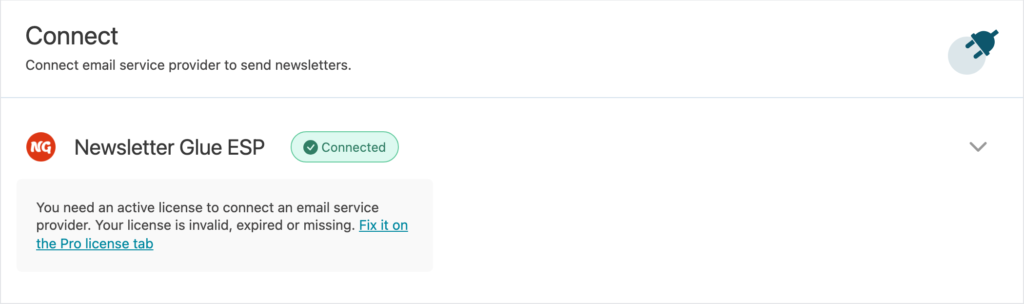
- Connecting an email service provider.
If your license is expired or missing, sending stops, and your newsletters’ web pages show “This newsletter is currently unavailable.” until you renew. The Connect screen and the send panel now explain this, so you’re never left guessing. Check your license under Newsletters > Settings > Pro license before you update.
Finding and activating your license key
Update today
Newsletter Glue 4.3 is available now. Update from your WordPress dashboard, or download the latest version from your account. Then click ✨ Magic Glue on your Campaigns screen and see what it builds from this week’s posts. The full list of changes is in our changelog.