
Introducing Magic Glue: your newsletter, built from your latest posts in under a minute

Your stories are already written. So why does the newsletter still take half a day?
Whether you run a blog, a business, a nonprofit or a newsroom, newsletter day usually looks the same: open a dozen tabs, decide what leads, copy headlines and images, rewrite summaries so they fit, then stare at a blank subject line. It’s the same work every week, and it’s rarely the work you started your site to do.
Today we’re introducing ✨ Magic Glue. One click turns your latest posts into a ready-to-send newsletter, in your brand, in under a minute.
What Magic Glue does
Click ✨ Magic Glue on your Campaigns screen, and it:
- Picks your best recent stories and chooses which one leads.
- Writes the subject line, preview text and intro, plus a short summary for every story.
- Lays it all out in your brand, using your logo and colors.
- Saves it as a draft campaign and opens it in the editor, ready for you to review and send.
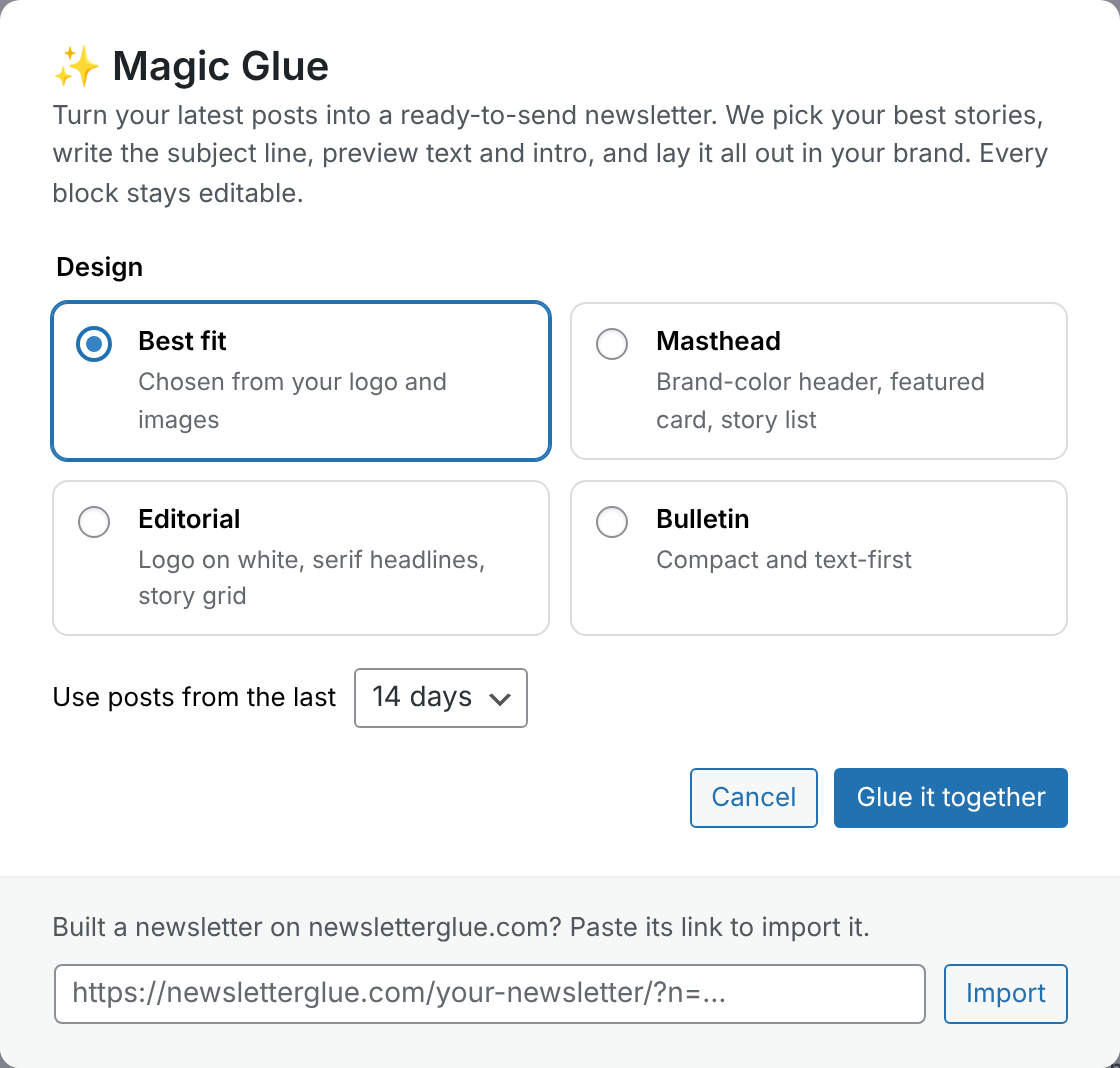
You can choose from three designs, or let Magic Glue pick the best fit based on your logo and how many of your stories have photos:
- Masthead: a brand-color header, a featured story card and a clean story list.
- Editorial: your logo on white, serif headlines and a story grid.
- Bulletin: compact and text-first, for sites that publish more words than pictures.
You’re still the editor
Magic Glue doesn’t hand you a locked template or a block of HTML. It builds your newsletter in WordPress blocks, the same Newsletter Glue blocks you already use. Every headline, summary, image and button can be edited, moved or deleted before anything goes out.
Think of it as a first draft from a colleague who has read everything you published this week. You make the final call.
Smart about what you publish
Not every post belongs at the top of a newsletter. Magic Glue recognizes sponsored posts, as well as obituaries and public notices if you publish them, and gives each its own quiet section. It never features them as the lead story and never rewrites them, so they keep their original wording.
It works for any WordPress site with posts: a weekly roundup for your blog, product news for your customers, updates for your members or donors, or the morning edition for your readers.
How to use it
- Update Newsletter Glue to the latest version.
- Go to Newsletters → Campaigns and click ✨ Magic Glue.
- Choose a design and how many days of posts to use (7, 14 or 30).
- Click Glue it together. Your draft opens in the editor.
- Review it, make it yours, and send.
Try it on your own site first
Not a customer yet? Enter your website on our homepage and we’ll build a sample newsletter from your latest posts, with your logo and colors, in about 30 seconds. Nothing is sent to your readers; we just email you a copy.
Like what you see? After you sign up and activate your license, that same newsletter is waiting on your Campaigns screen. Click Import newsletter, and it’s rebuilt from your own posts as a draft you can edit and send.
Included in every plan
Magic Glue is included with both Newsletter Glue and Newsletter Glue Connect at no extra cost, whether you send through our own engine or the email provider you already use.