
← All integrations

Email service provider
AWeber Integration
Grow, sell, and engage with your audience—all from a single platform
What you can achieve with this integration
- Connect to WordPress via API key. No migration is needed.
- Collect new subscribers with our built-in form that connects to your AWeber account.
- Build your newsletters in WordPress, send them out using AWeber via API key.
- Send a campaign to your specific subscriber’s segment.
- Add your own merge tags that are already on AWeber. Includes unsubscribe links.
How to integrate AWeber with WordPress using Newsletter Glue plugin
Prerequisites
- AWeber account
- Newsletter Glue plugin and license
- WordPress site with Newsletter Glue plugin already installed
Integrate during Newsletter Glue onboarding
Step 1: Go through onboarding to get your API key
After activating the Newsletter Glue plugin, you’ll be taken to our onboarding wizard.
Enter your license key to activate your license. Then, connect your email service provider.
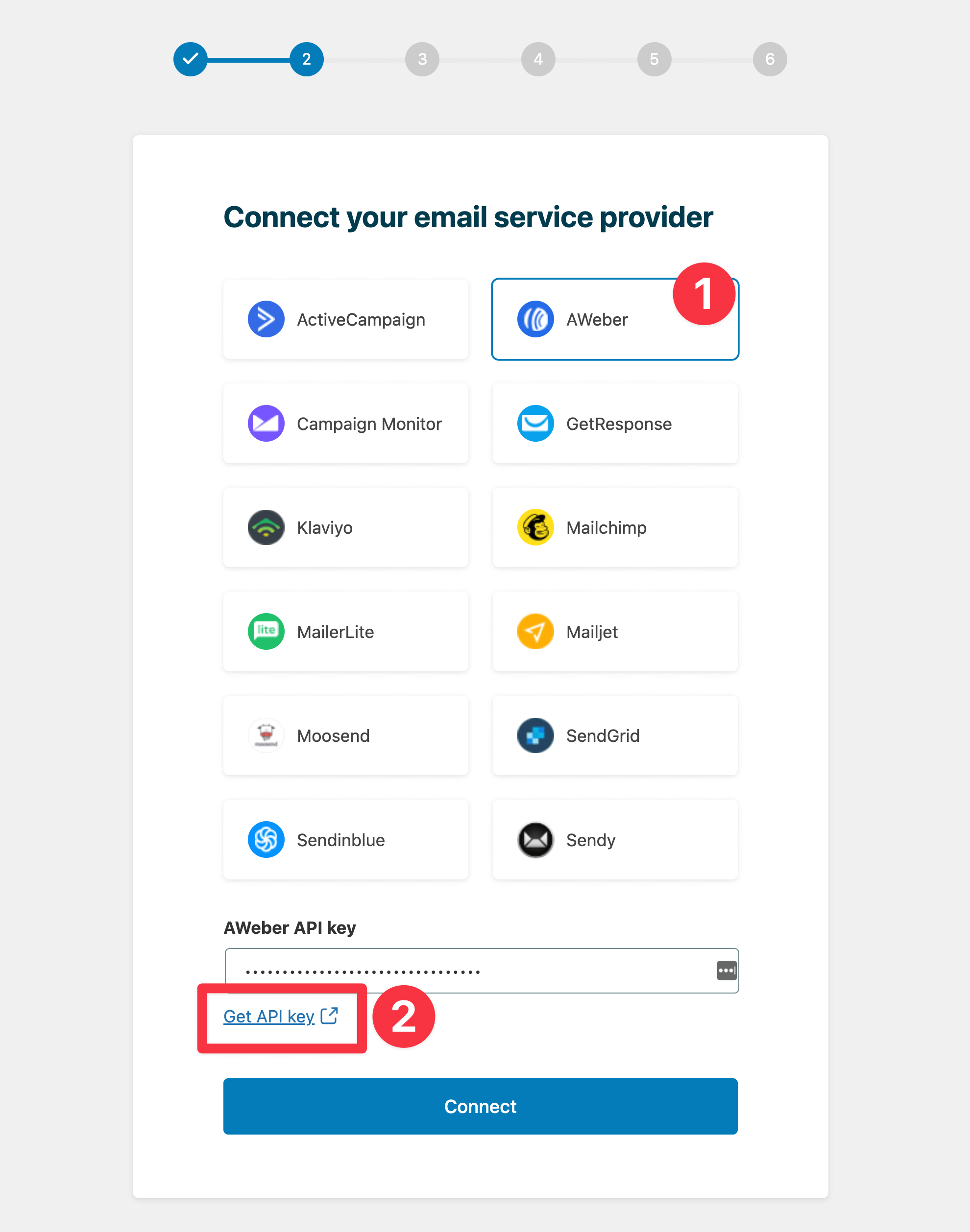
- Select AWeber from the Email service provider options.
- Click on Get API key.
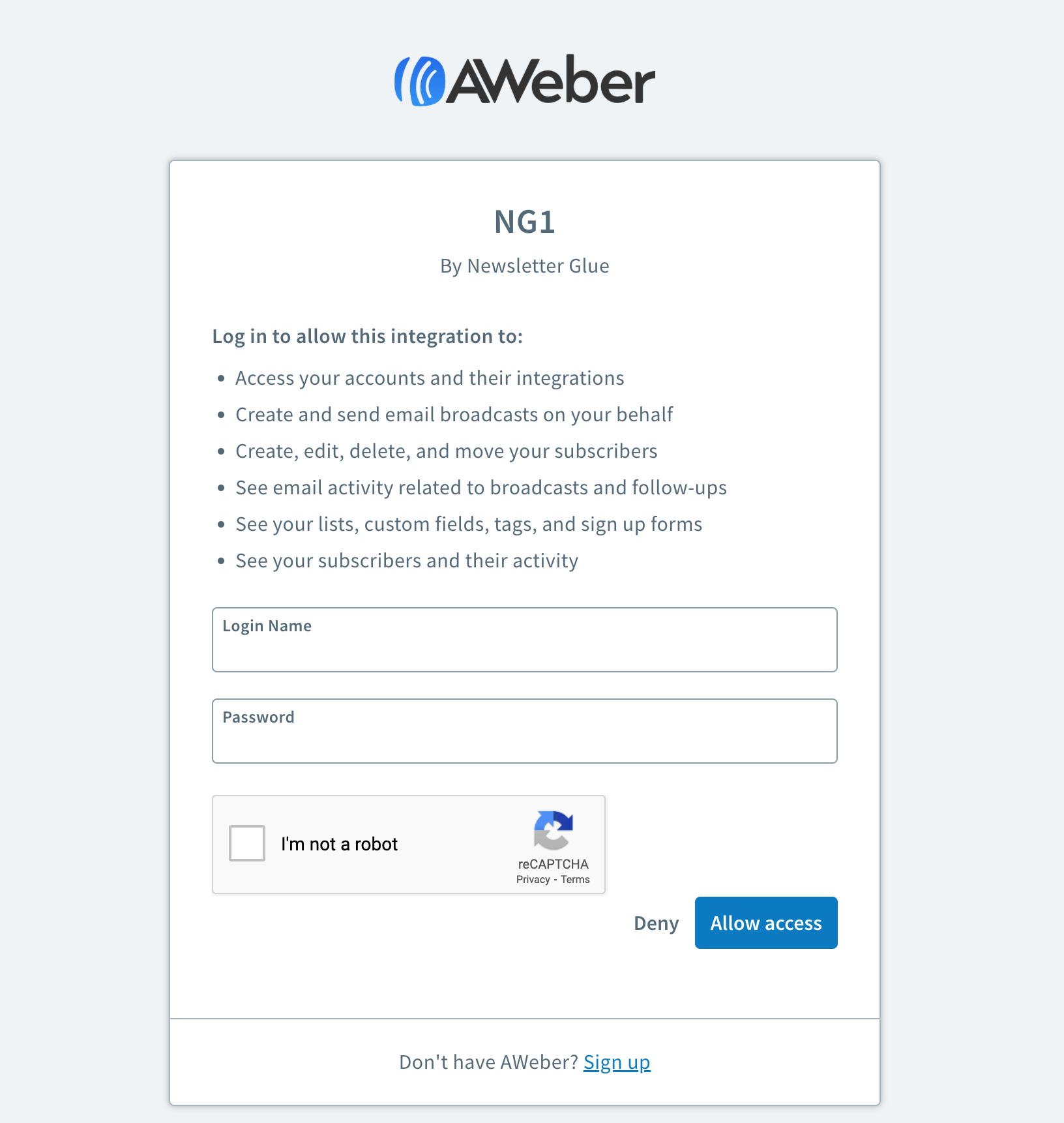
- Login to the NG1 OAuth integration.
- Copy your API key.
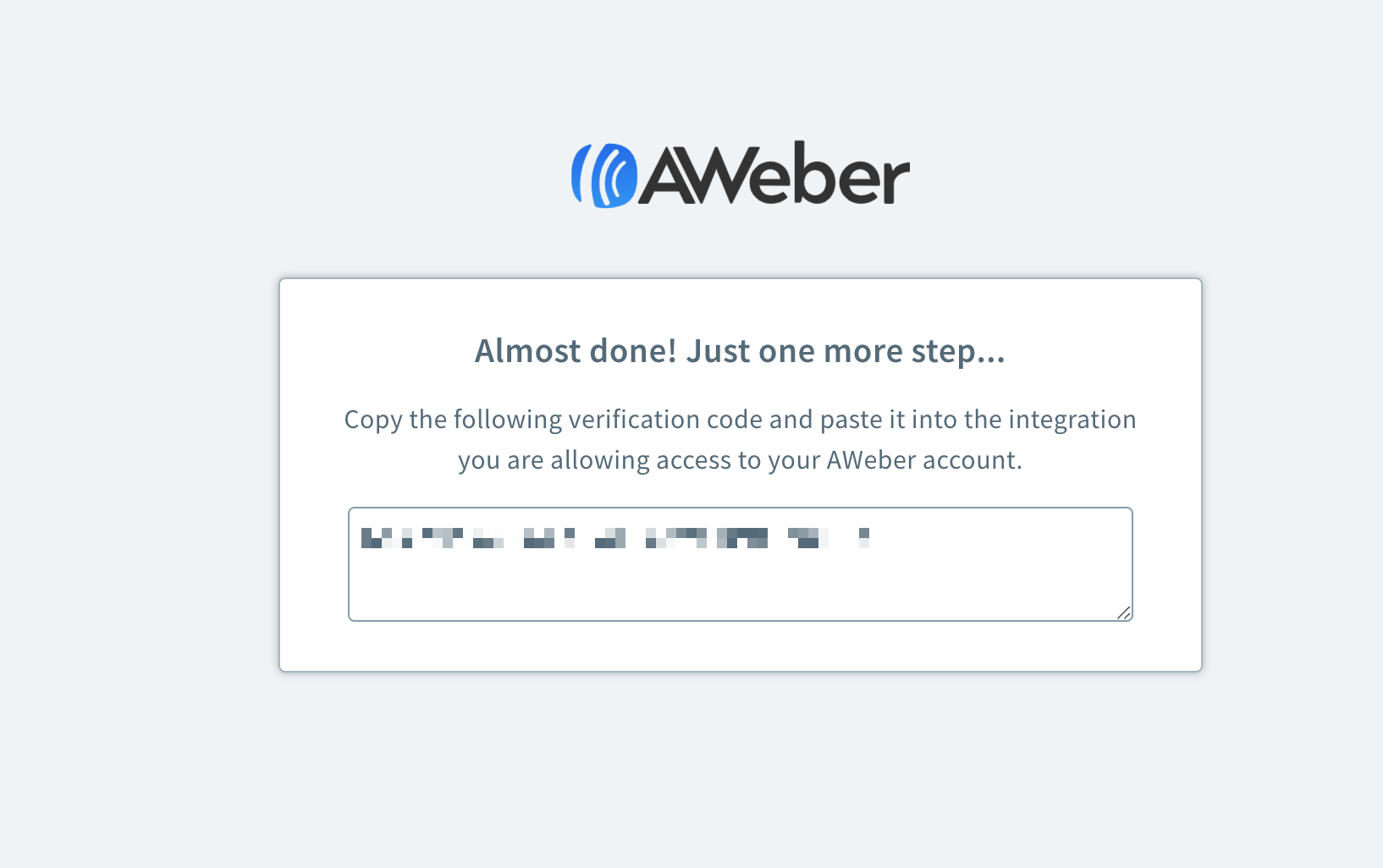
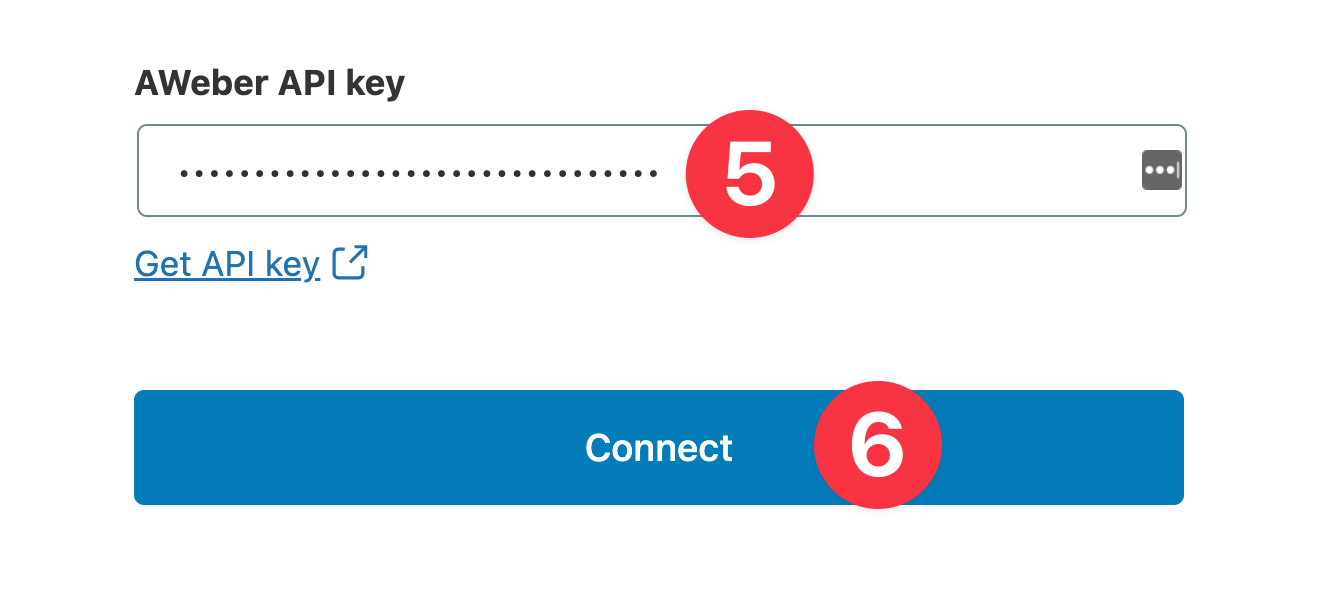
- Head back to the onboarding wizard, and paste your API key.
- Click on Connect.
- Done! You’ll be able to select your email defaults and customise your newsletter and complete the onboarding wizard.
Integrate from Settings → Connections
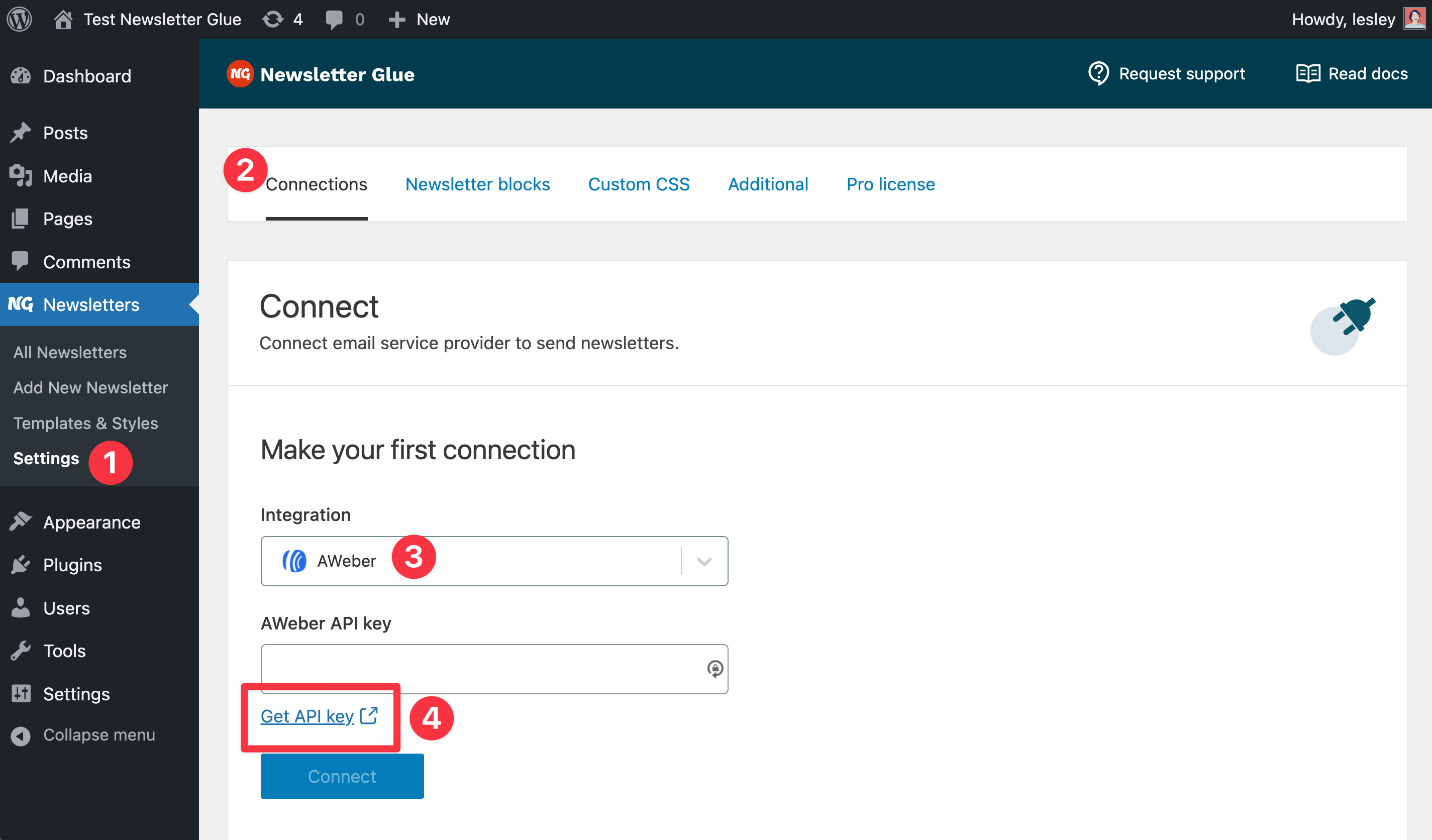
Step 1: Login to your WordPress admin and head to Newsletter Glue settings
- Login to your WordPress admin and head to Newsletters > Settings > Connections
- Then, select AWeber from the Integration dropdown options
- And click on Get API key underneath the AWeber API key field
Step 2: Enter your API key and connect
- You’ll be taken to a NG1 OAuth integration
- Login using your AWeber account details.
- Copy your API key
- Back in Newsletter Glue settings, enter your API key
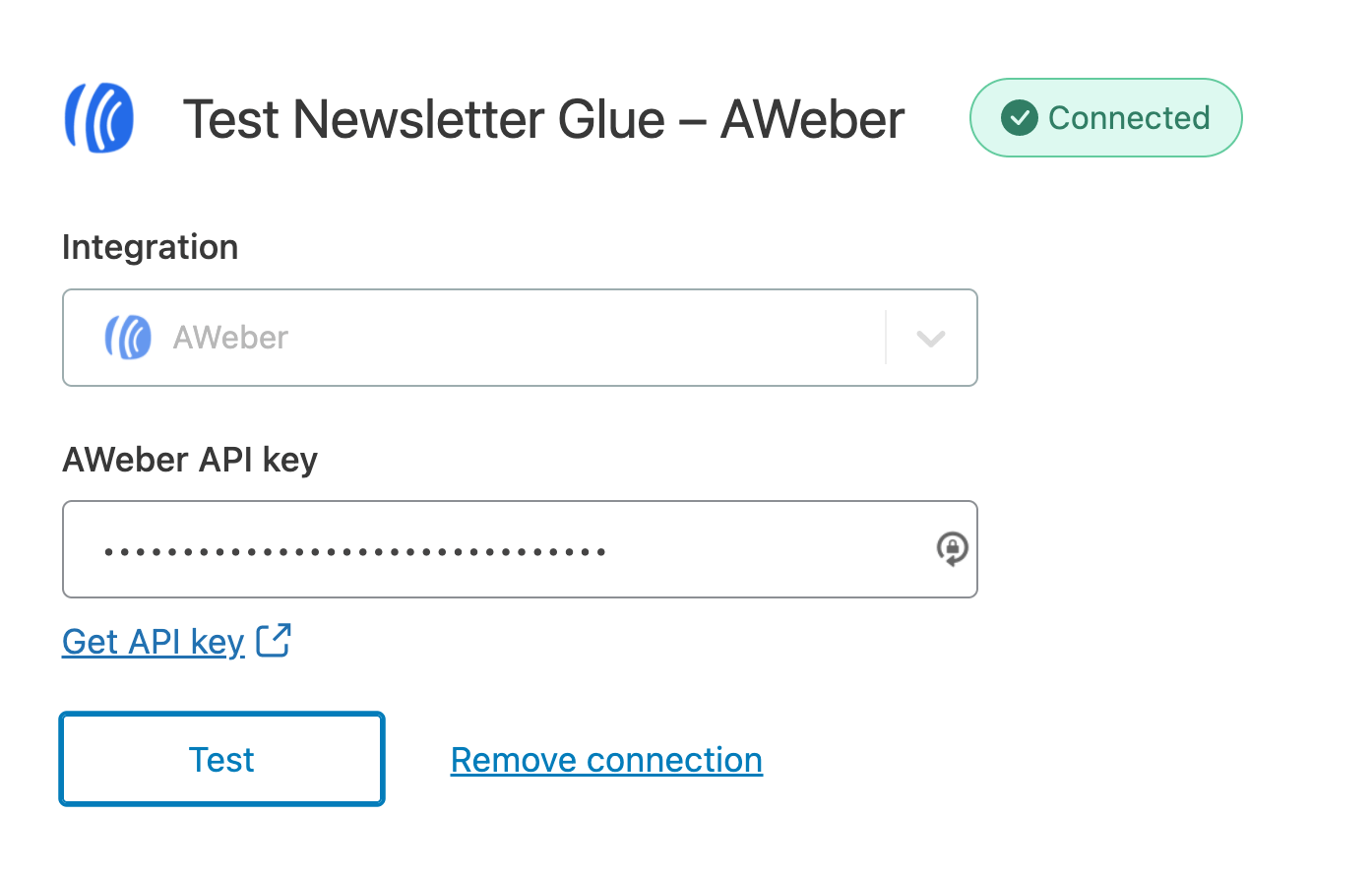
- Click Connect
- Success! You’ll see Connected status next to AWeber.
Ready for a faster, smoother publishing experience?
Write and grow your newsletter in WordPress. Connect via API. No migration needed.
14-day money back guarantee