
← All integrations

Email service provider
Mailchimp Integration
Grow your business on your terms with Mailchimp’s All-In-One marketing, automation & email marketing platform. Easy to use – start for free!
What you can achieve with this integration
- Connect to WordPress via API key. No migration is needed.
- Collect new subscribers with our built-in form that connects to your Mailchimp account.
- Build your newsletters in WordPress, send them out using Mailchimp via API key.
- Send a campaign to your specific subscriber’s segment.
- Add your own merge tags that are already on Mailchimp. Includes unsubscribe links.
How to integrate Mailchimp with WordPress using Newsletter Glue plugin
Prerequisites
- Mailchimp account
- Newsletter Glue plugin and license
- WordPress site with Newsletter Glue plugin already installed
Integrate during Newsletter Glue onboarding
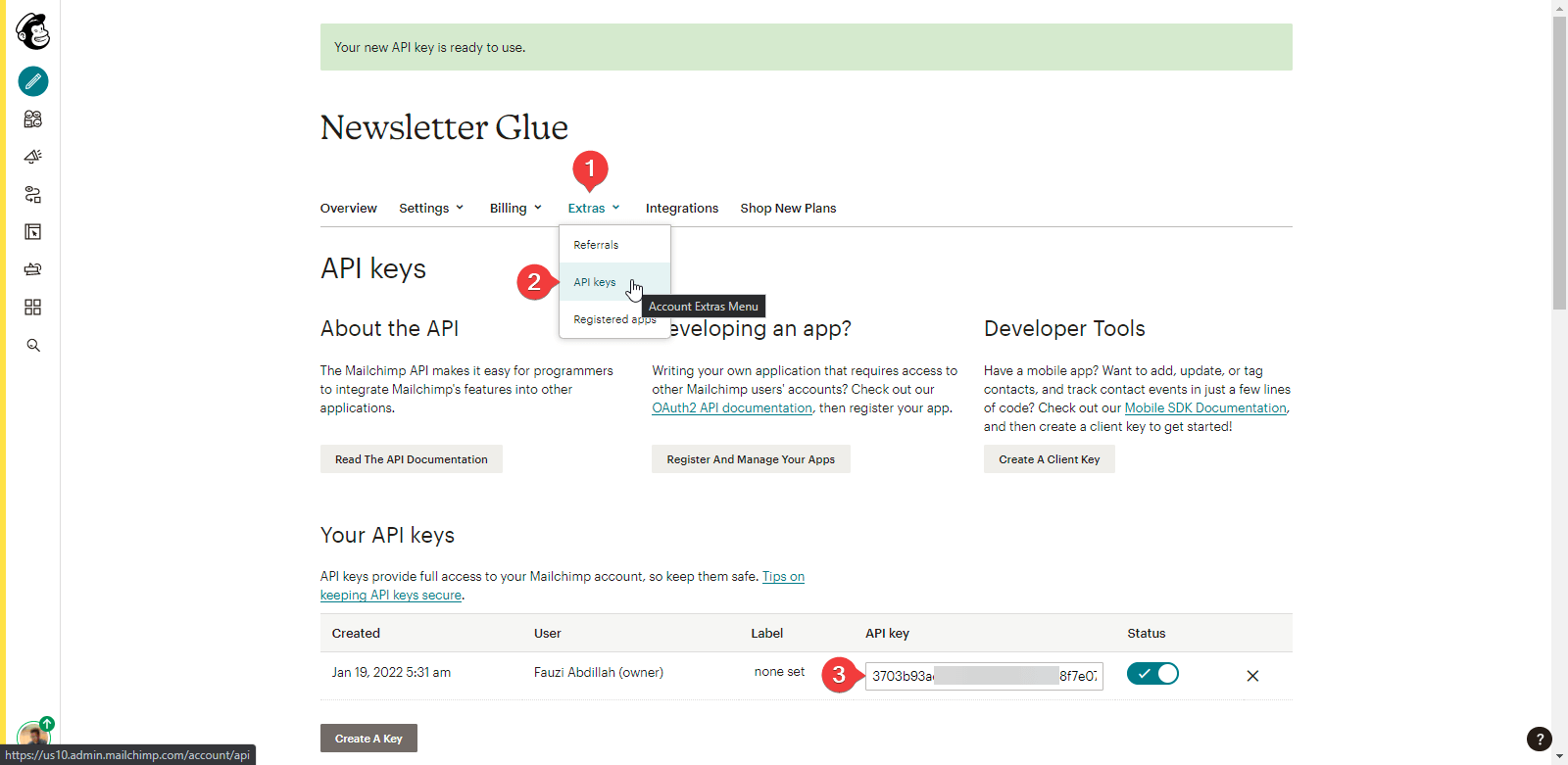
Step 1: Get your API key details
- Go to Mailchimp Dashboard, click on Profile Photo → Account
- Click on Extras → API Keys
- Copy the API Key
Step 2: Connect Mailchimp to Newsletter Glue
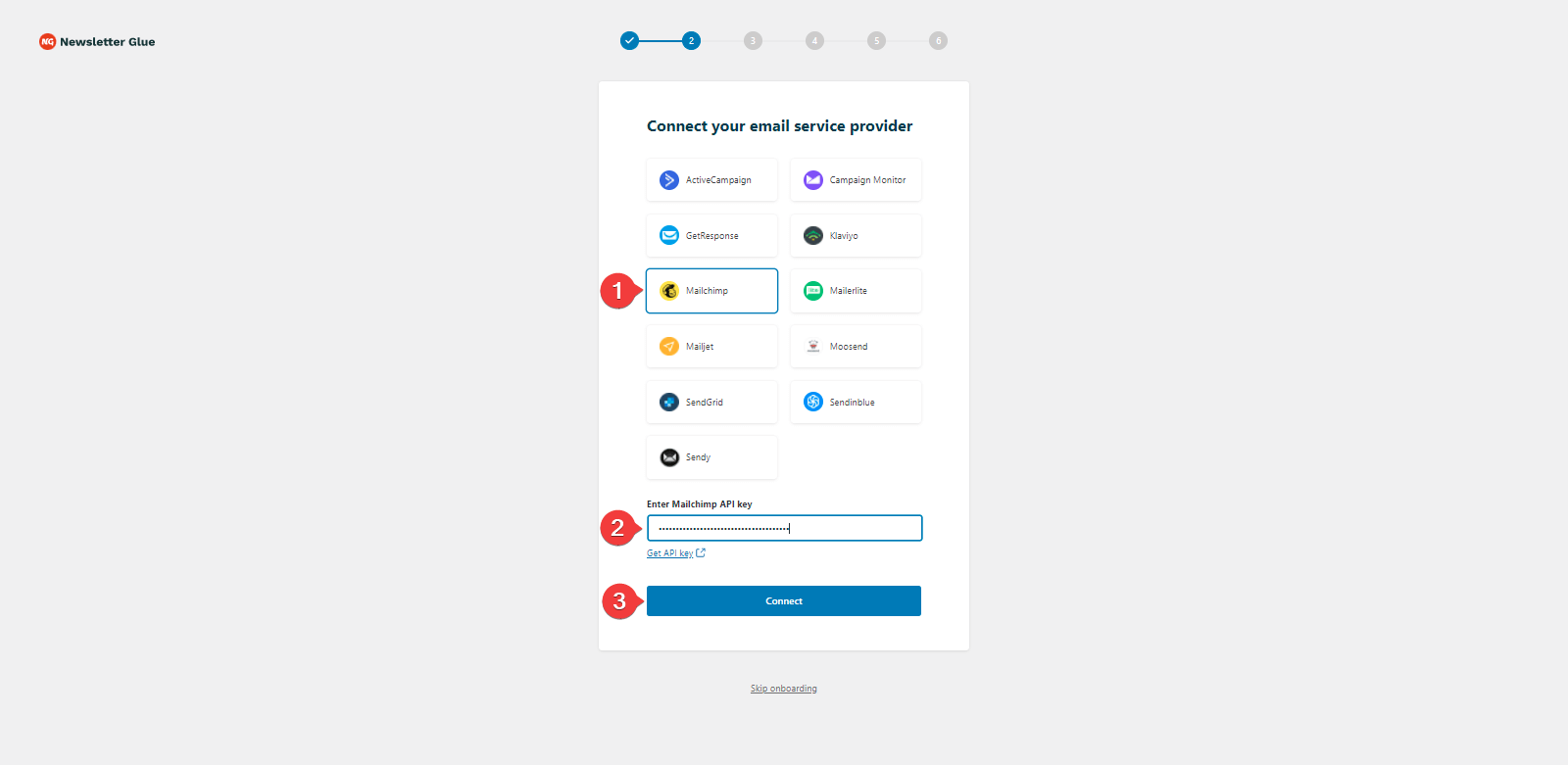
After installing and activating the Newsletter Glue plugin, you’ll be taken to our onboarding wizard.
Enter your license key in Step 1.
In Step 2:
- Select Mailchimp from the Email service provider options
- Paste your API Key
- Click on Connect button
- Once successfully connected, you’ll be able to select your email defaults, complete your onboarding and begin using Newsletter Glue to build and publish newsletters.
Integrate from Settings → Connections
Step 1: Get your API key details
- Go to Mailchimp Dashboard, click on Profile Photo → Account
- Click on Extras → API Keys
- Copy the API Key
Step 2: Connect Mailchimp to Newsletter Glue
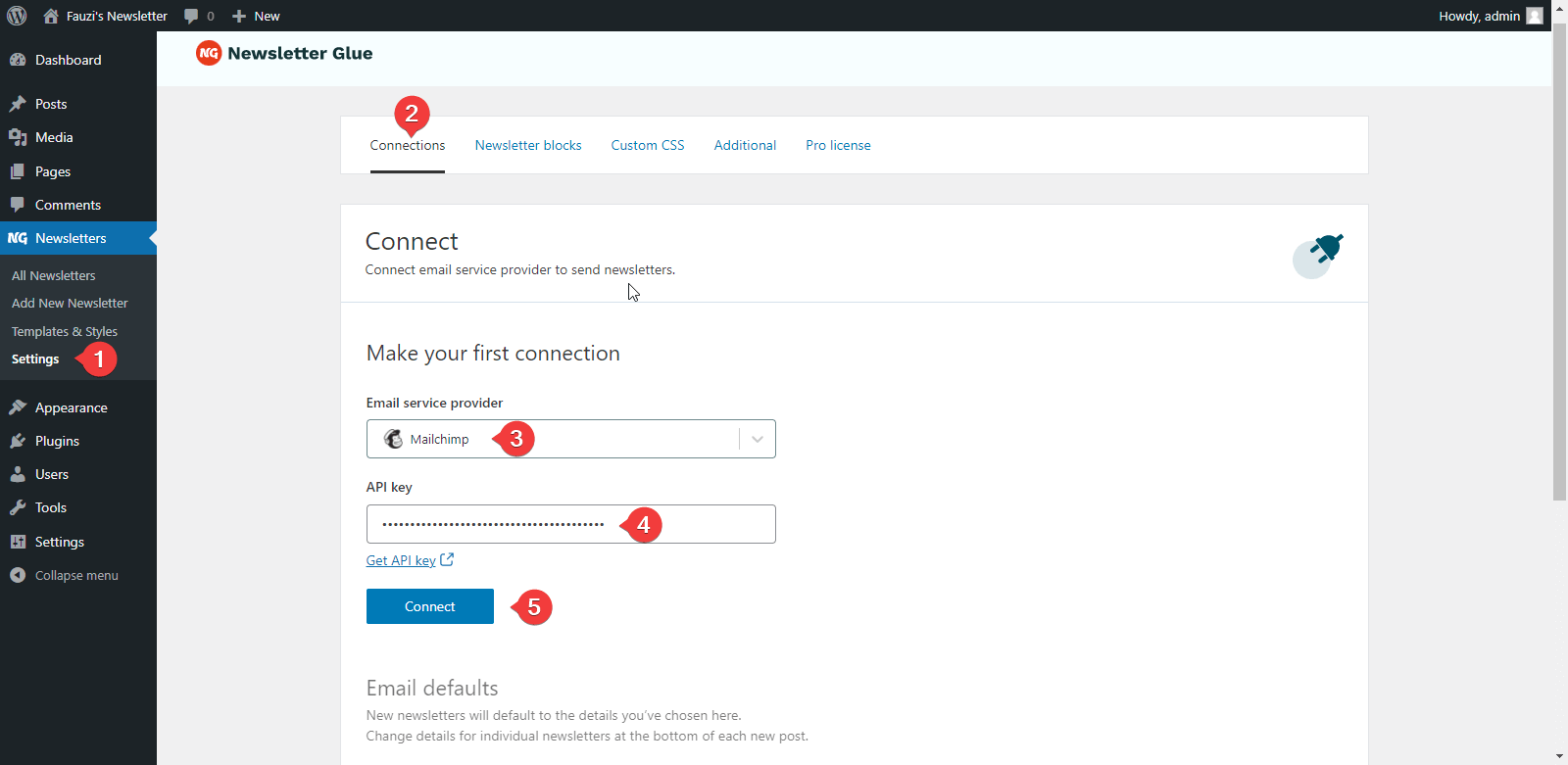
- On your WP Dashboard, go to the Newsletter Glue Settings page
- On the Connections tab, set as follows:
- Select Mailchimp from the Email service provider dropdown
- Paste your API Key
- Click on Connect button
- Once successfully connected, you’ll be able to use Newsletter Glue to build and publish newsletters.
Ready for a faster, smoother publishing experience?
Write and grow your newsletter in WordPress. Connect via API. No migration needed.
14-day money back guarantee