Kit is an email marketing platform built for creators like authors, podcasters, and educators, with automation, landing pages, and segmentation tools designed to grow your audience and revenue without the complexity.
What you can achieve with this integration
How to integrate Kit with WordPress using Newsletter Glue plugin
Pre-requisites
Integrate during Newsletter Glue onboarding
Step 1: Go through onboarding to get your API key
After activating the Newsletter Glue plugin, you'll be taken to our onboarding wizard.
Enter your license key to activate your license. Then, connect your email service provider.
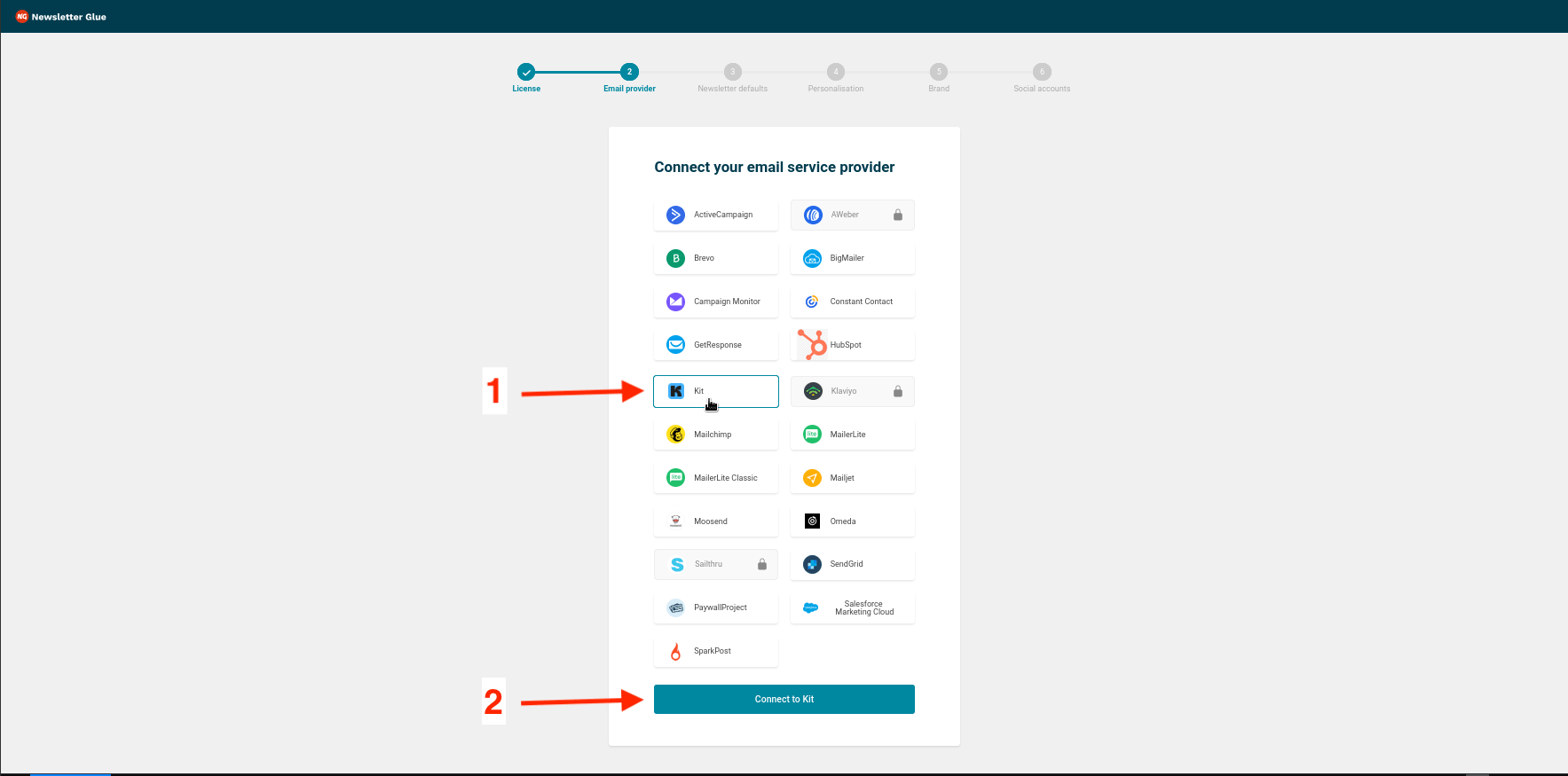
- 1Select Kit from the Email service provider options.
- 2Click on Connect to Kit and Sign in to your Kit account.
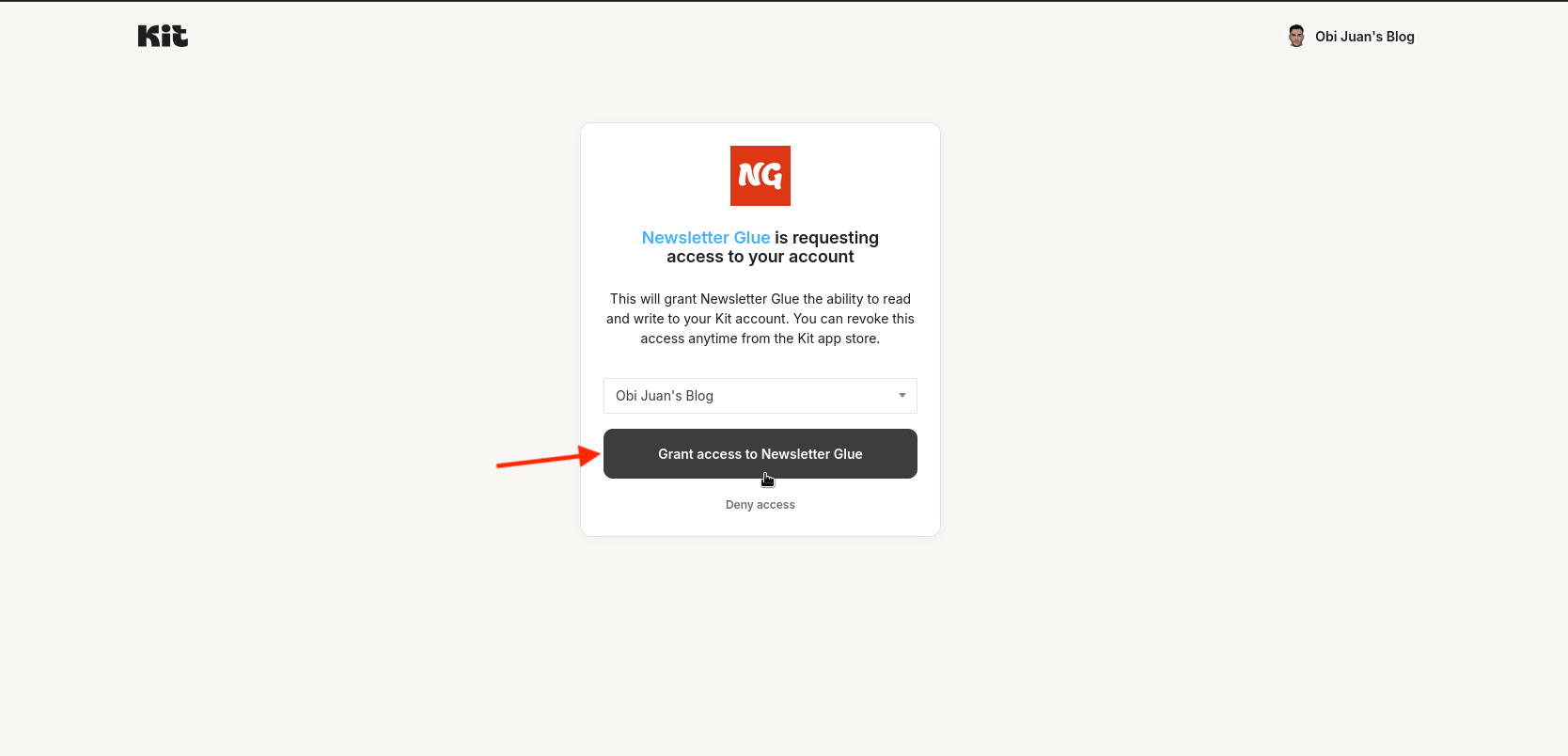
- 3Select the desired Kit account and click Grant access to Newsletter Glue.
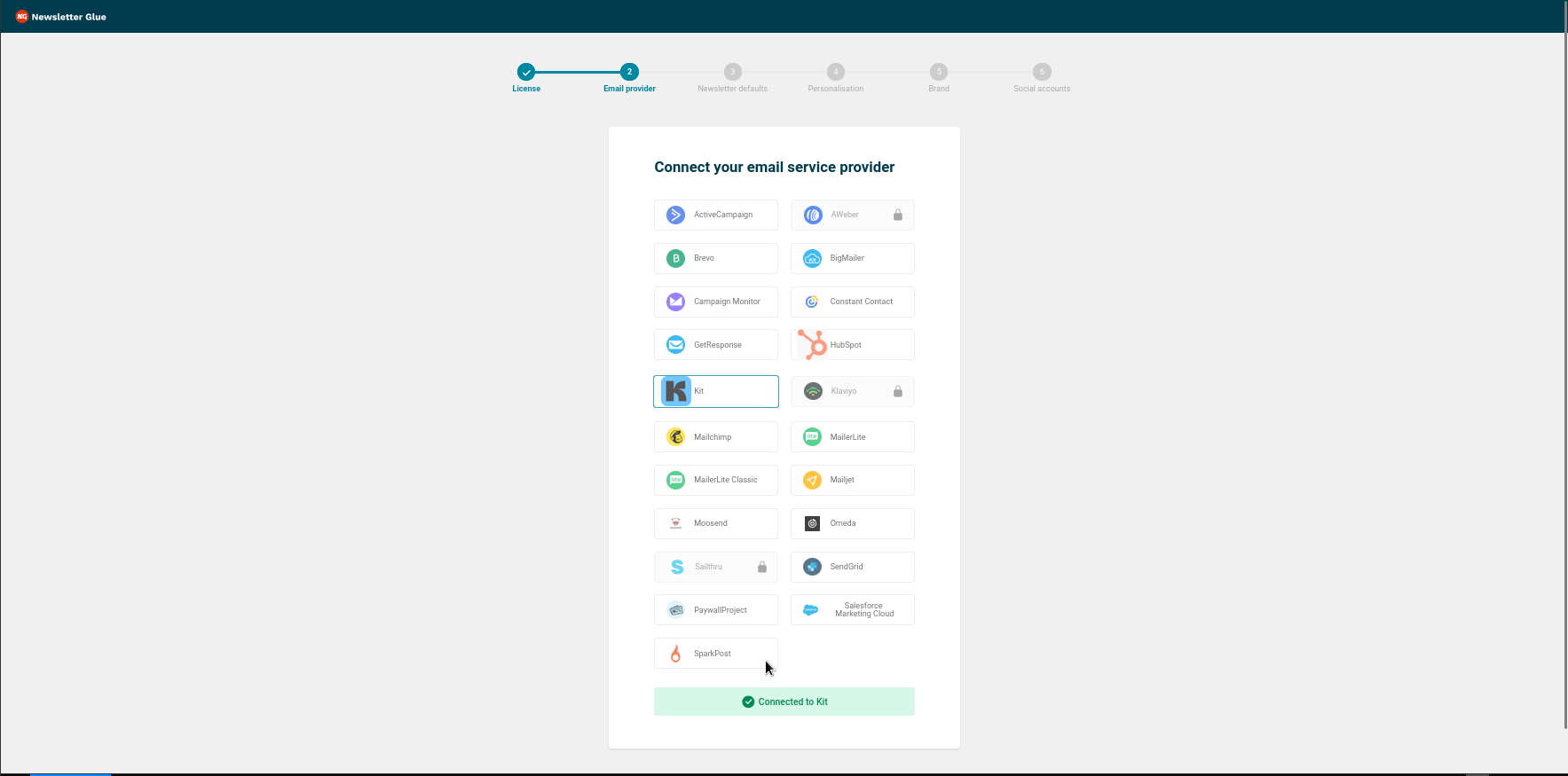
- 4You will be automatically redirected back to the Newsletter Glue onboarding wizard.
- 5Done! You'll be able to select your email defaults and customize your newsletter and complete the onboarding wizard.
Integrate from Settings -> Connections
Step 1: Login to your WordPress admin and head to Newsletter Glue settings
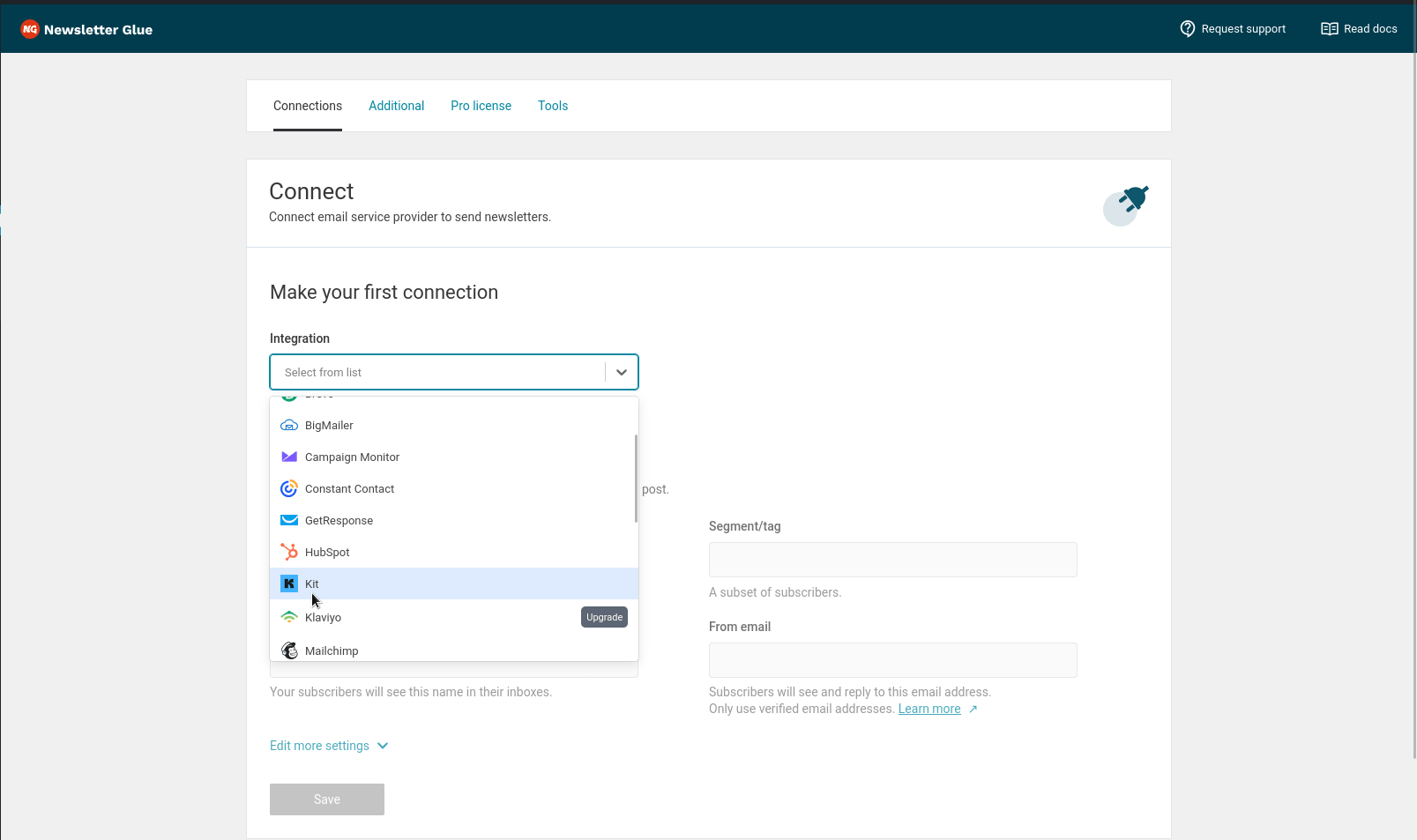
- 1Login to your WordPress admin and head to Newsletters > Settings > Connections
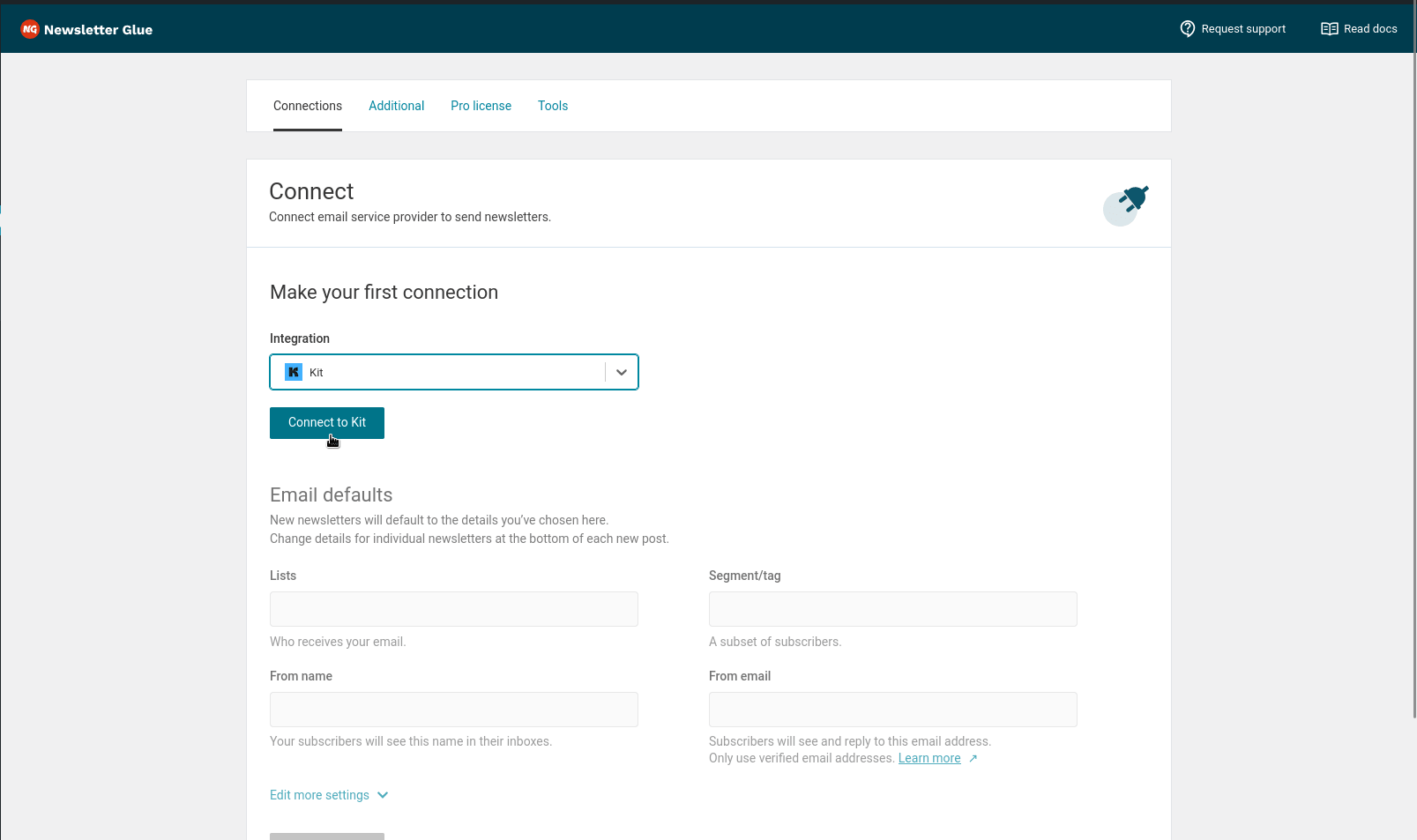
- 2Then, select Kit from the Integration dropdown options.
- 3You will be redirected to Kit to complete the connection.
Step 2: Enter your API key and connect
- 4Select Sign in to your Kit account.
- 5Login using your Kit account details.
- 6Choose the desired Kit account you'd like to connect.
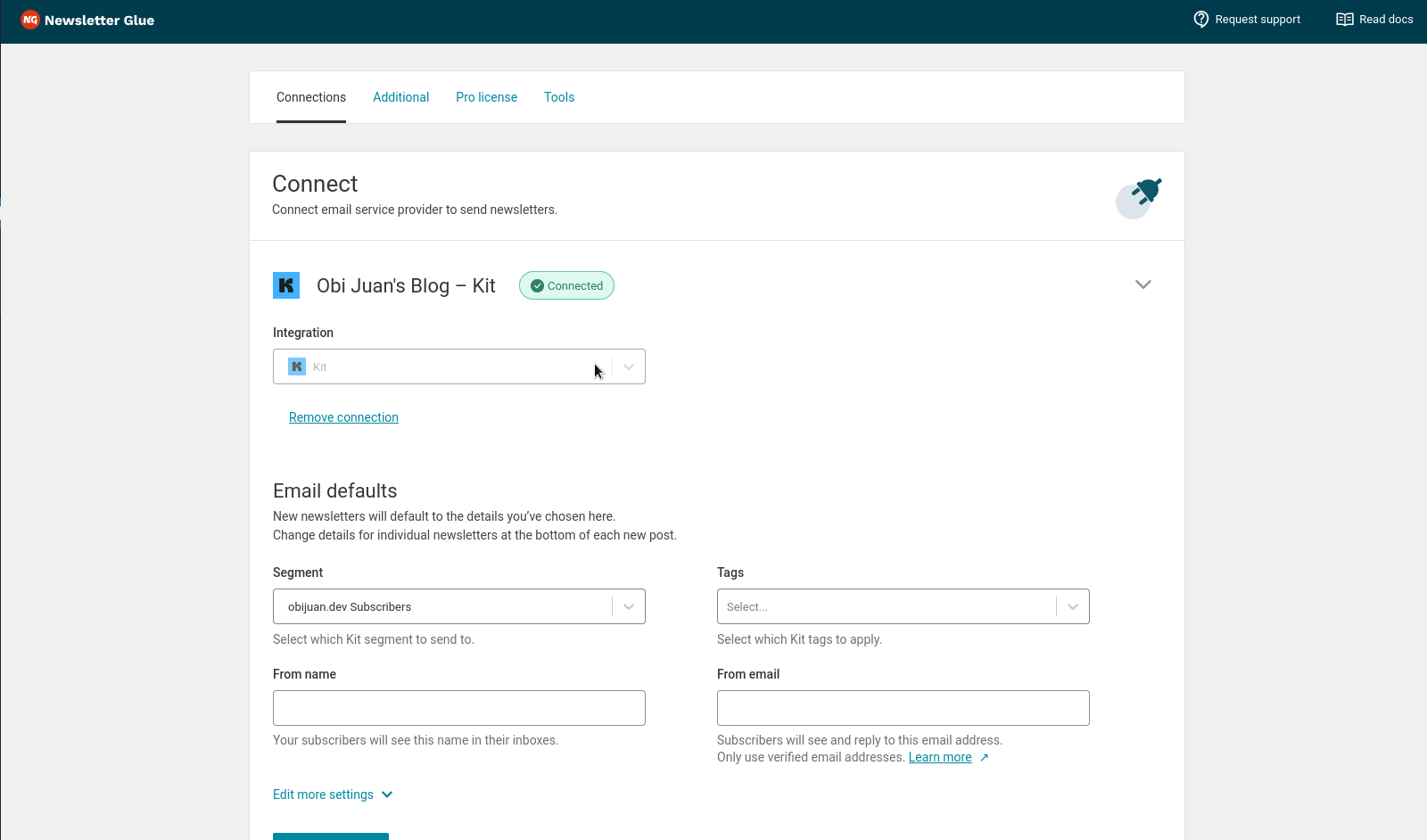
- 7You'll be automatically redirected back to Newsletter Glue.
- 8Success! You'll see Connected status next to Kit.